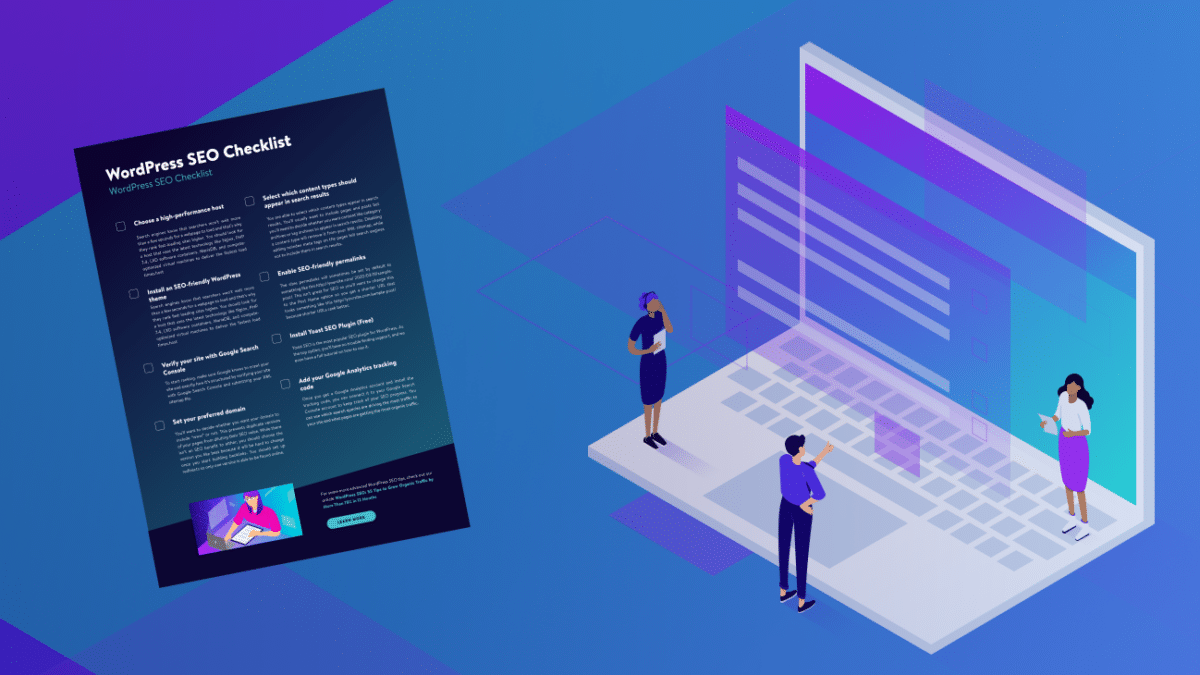
Following a proper WordPress SEO checklist for beginners is one of the best ways to improve your website rankings and get more visitors from search engines. SEO helps search engines understand your website and show your content to the right audience.
Many beginners struggle because they miss basic SEO steps. The good news is that SEO does not have to be complicated. By following a simple checklist, you can improve your website visibility and performance.
In this guide, you will learn the essential SEO steps every beginner should follow to build a strong foundation for long-term success.
If your website is new, first read our guide on how to create a WordPress website step by step, because SEO works best after your website is properly set up.
What Is WordPress SEO
Simple Meaning of SEO
SEO stands for Search Engine Optimization.
It means improving your website so search engines can find and rank your content.
Why SEO Is Important for Beginners
SEO helps:
- Increase website traffic
- Improve search rankings
- Build online visibility
- Grow your audience
- Increase income opportunities
Without SEO, your website may not appear in search results.
Basic WordPress SEO Checklist for Beginners
Install an SEO Plugin
SEO plugins help manage website optimization.
What SEO Plugin Does
It helps you:
- Optimize keywords
- Create sitemap
- Improve readability
- Add meta tags
Choose SEO-Friendly Theme
A fast and lightweight theme improves SEO performance.
You can learn more in:
fastest WordPress themes for SEO
Use Proper Permalink Structure
Permalinks are website URLs.
Best Permalink Format
Use simple and readable URLs.
Example:
yourwebsite.com/seo-guide
Avoid long or complicated URLs.
Submit Website to Search Engines
Submitting your website helps search engines find your content.
On-Page SEO Checklist
Use Target Keyword in Important Places
Place your keyword in:
Title
Headings
First paragraph
Meta description
Write High-Quality Content
Content quality is the most important ranking factor.
Focus on:
- Helpful information
- Clear explanations
- User needs
Use Headings Properly
Headings organize your content.
Structure example:
H1 — Title
H2 — Main section
H3 — Subsection
This improves readability and SEO.
Add Internal Links
Internal links connect pages on your website.
They help visitors find related content.
Optimize Images
Images should be optimized for speed.
Image Optimization Steps
Resize images
Compress images
Use descriptive file names
Technical SEO Checklist
Improve Website Speed
Speed is an important ranking factor.
You can learn more in:
how to speed up WordPress website fast
Use Secure HTTPS
HTTPS protects your website and improves trust.
Create XML Sitemap
A sitemap helps search engines understand your website structure.
Fix Broken Links
Broken links harm SEO performance.
Check links regularly.
Content SEO Checklist
Write Useful Content
Content should solve problems.
Use Simple Language
Simple writing improves readability.
Publish Content Regularly
Consistency improves search rankings.
Update Old Content
Updating content keeps information fresh.
Off-Page SEO Checklist
Build Backlinks
Backlinks improve website authority.
Share Content on Social Media
Social media increases visibility.
Collaborate with Other Websites
Partnerships help build credibility.
Encourage User Engagement
Engaged users improve SEO signals.
Common SEO Mistakes Beginners Should Avoid
Keyword Stuffing
Using too many keywords reduces readability.
Ignoring Mobile Optimization
Mobile-friendly websites perform better.
Using Duplicate Content
Duplicate content harms rankings.
Neglecting Website Speed
Slow websites rank lower.
Daily SEO Maintenance Checklist
Monitor Website Traffic
Track visitor activity regularly.
Check Website Performance
Review loading speed and errors.
Update Plugins and Themes
Updates improve performance and security.
Review SEO Settings
Check SEO configuration regularly.
Benefits of Following a WordPress SEO Checklist
Better Search Rankings
SEO improves visibility.
More Website Traffic
Higher rankings attract visitors.
Improved User Experience
Optimized websites are easier to use.
Long-Term Website Growth
SEO supports sustainable growth.
Real Example of SEO in Action
Imagine you run a website that provides travel or adventure information. If your content is optimized for search engines, more people will find your website when searching for travel guides.
Well-optimized websites load quickly, use clear structure, and provide helpful information.
You can see a good example of structured and user-friendly content in this helpful travel adventure experience guide
This demonstrates how proper SEO practices improve visibility and user experience.
FAQs — WordPress SEO Checklist for Beginners
How long does SEO take to show results
SEO results usually appear gradually as your website grows.
Do beginners need SEO plugin
Yes.
SEO plugins make optimization easier.
Is website speed important for SEO
Yes.
Fast websites rank better.
How often should I update content
You should update content regularly.
Can SEO increase website income
Yes.
Higher traffic can increase revenue opportunities.
Conclusion — WordPress SEO Checklist for Beginners
Following a proper WordPress SEO checklist for beginners helps your website rank higher, attract more visitors, and grow steadily. By focusing on content quality, website speed, and technical optimization, you can build a strong SEO foundation.
Stay consistent, monitor performance, and continue improving your website to achieve long-term success.